Appilates User Manual for Studios
How to turn on diagnostics
To make processing a support ticket even faster…and help us immensely!
Please make sure diagnostics are enabled on every device you use. (You only need to do this once per device. After you’ve set it up on all your devices, you're done.)
To setup Diagnostics
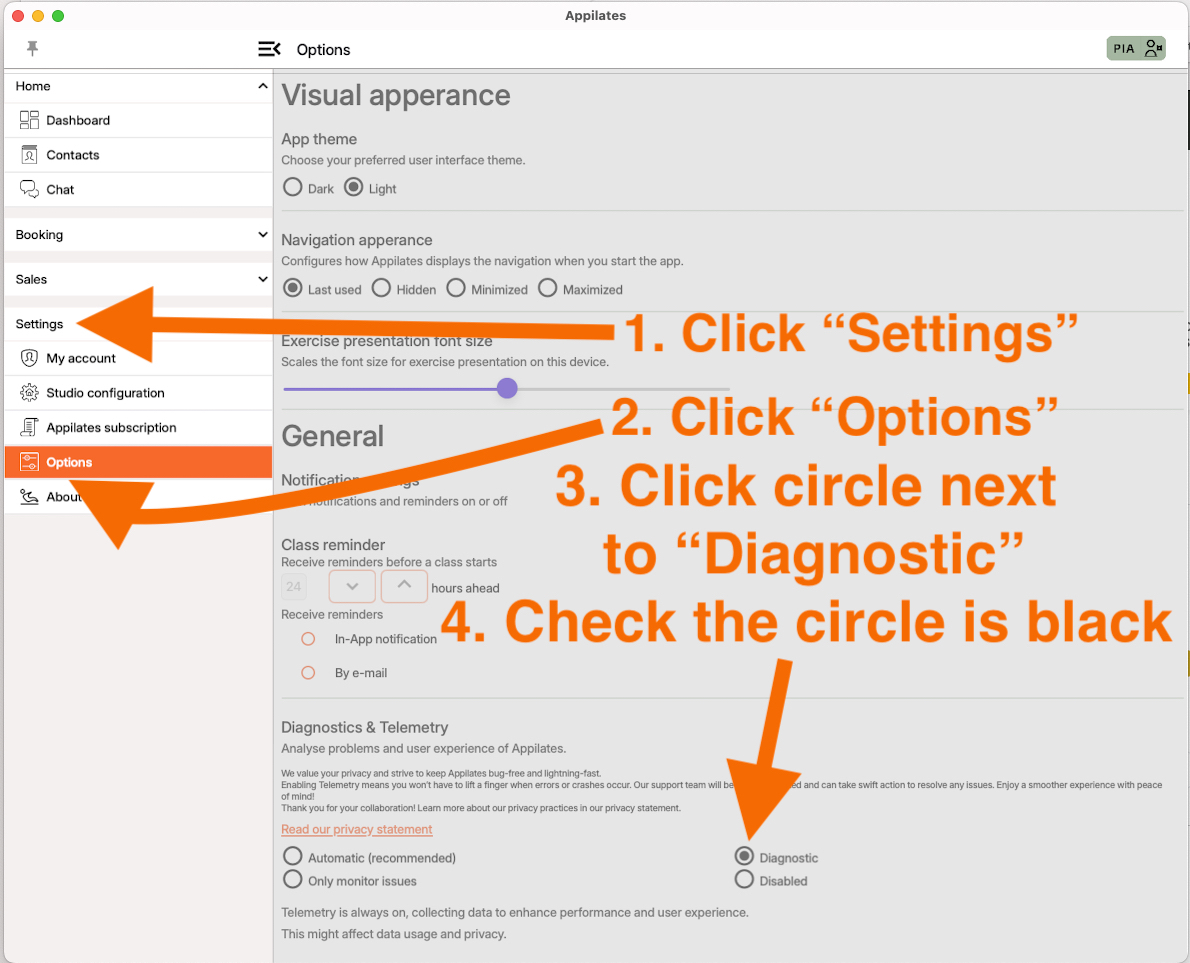
Click “Settings”
Click “Options”
Click the circle next to “Diagnostic”
Check the circle is black
You’re finished. Once you click on another page, these settings are saved.
Thank you for your patience. Now you’re logging things in this way, bugs can get sorted super efficiently!
Appilates support. Here to help.
Related articles
All Help categories
Here all all the main help categories in the Appilates user manual.