How to Contact Appilates Support
First please turn on diagnostics
Please follow all the steps so we get the ticket at our end. Thanks lots.
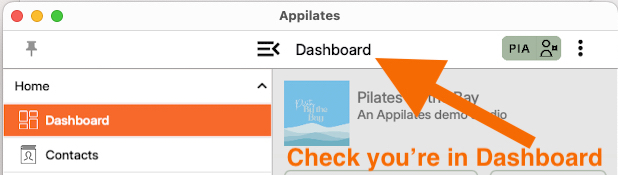
Check you’re on the dashboard (the main page) of the Appilates app.
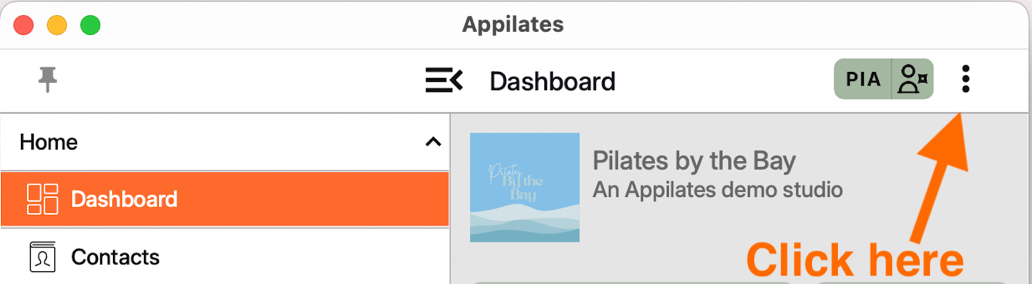
Click the three dots in the top right corner.
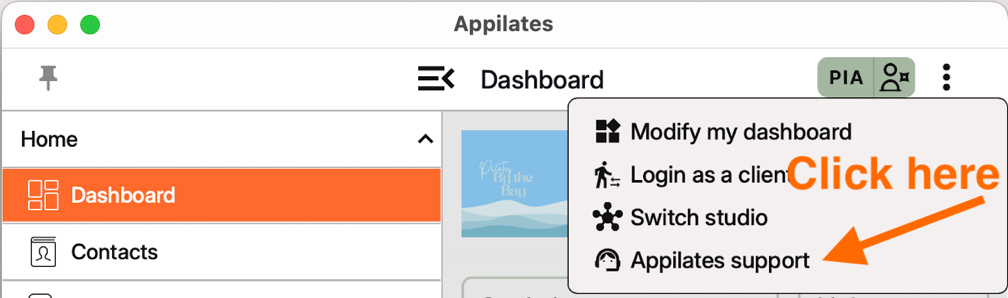
Click on "Appilates Support." (This opens the support window)
Click to choose the appropriate type of support ticket.
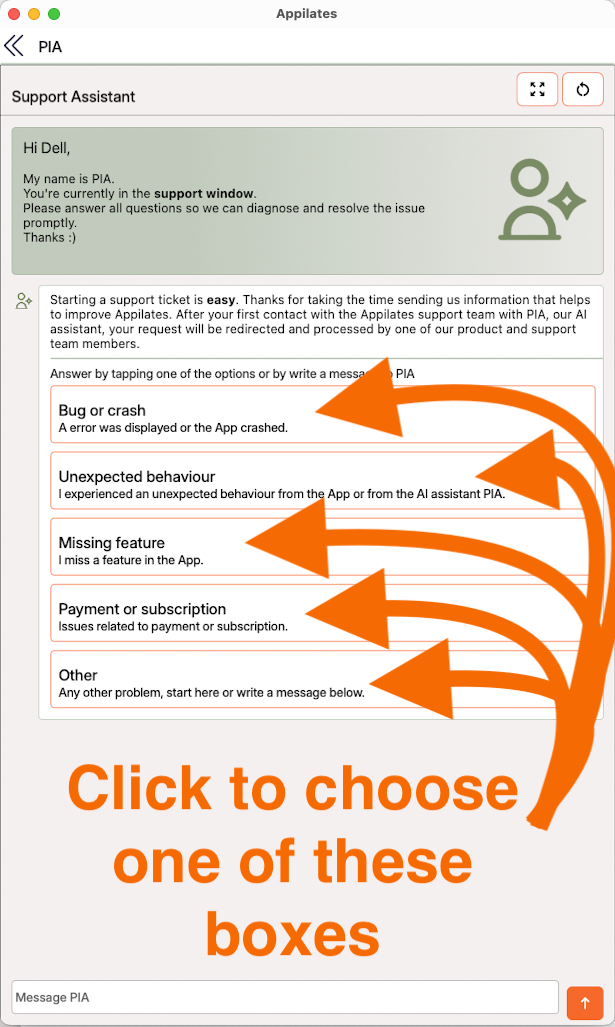
Follow the prompts. (This helps us gather the information we need to assist you)
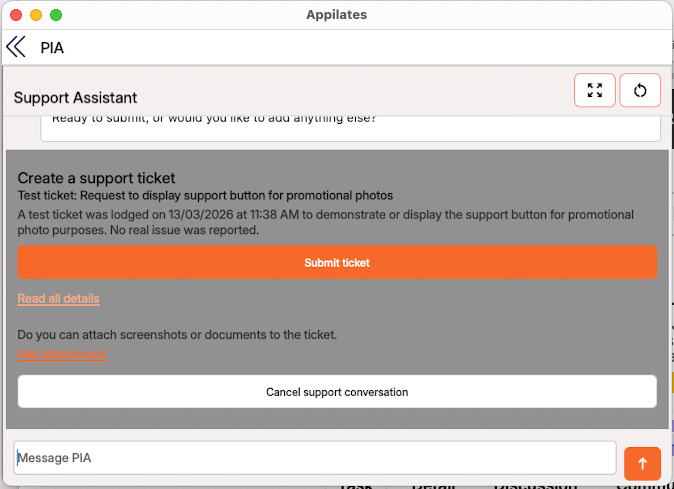
Scroll to the bottom of the chat to see the orange button.
IMPORTANT Click the Orange Button to submit the support ticket/request.
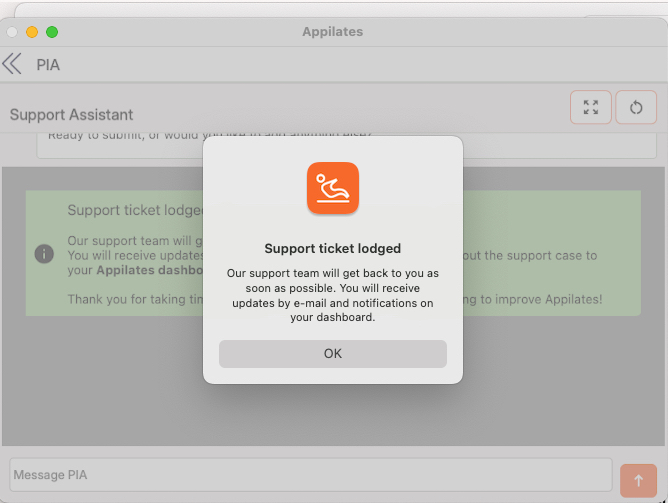
You will get a confirmation the support ticket is lodged. 7. Click “Ok”.
Thanks. We will process your support ticket as soon as possible. You will recieve an email letting you know your support ticket is being processed. In the email is a link where you can keep track of your support ticket through our website. By accessing our Support portal you can keep track of multiple tickets.
To make processing a support ticket even faster…and help us immensely!
Please make sure diagnostics are enabled on every device you use. turn on diagnostics (You only need to do this once per device. After you’ve set it up on all your devices, you're done.)
Related articles
All Help categories
Here all all the main help categories in the Appilates user manual.